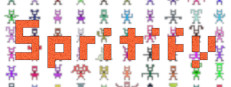

Download Spritify – 2D sprites, sprite generator, pixel art, game development tool, asset creation, smart pixels, gradient, noise, color variation, sprite export
Overview
Spritify is a specialized utility tool designed for artists and developers involved in 2D game creation. It streamlines the process of generating diverse sprite assets by transforming simple input images—composed of smart pixels—into multiple unique output variations. These variations can include changes in gradient, noise patterns, and color properties, enabling rapid asset creation without manual redrawing. The tool is built with efficiency in mind, targeting users who require high-volume sprite generation for game development, animation, or digital art projects.
The developer, Spritify Inc., has positioned the tool as a productivity-focused solution within the game development ecosystem. While the publisher and developer are the same entity, no additional details about the project’s design philosophy or intended use cases beyond asset creation were disclosed. The tool operates in the utility category, serving as a behind-the-scenes asset pipeline enhancer rather than a gameplay experience. It is not designed for end-users seeking entertainment, but for creators who need scalable, consistent, and customizable sprite outputs.
As a utility application, Spritify does not follow traditional genre expectations related to story, missions, or interactive gameplay. Instead, its success is measured by performance, reliability, and creative flexibility. The publisher has not shared detailed story information or gameplay mechanics, as the product is not a game but a development aid. Its primary function lies in automating repetitive aspects of sprite design, making it a valuable addition to a digital artist’s toolkit.
Gameplay & Core Mechanics
Spritify does not feature gameplay in the traditional sense, as it is a productivity tool rather than an interactive entertainment application. Instead, its core mechanics revolve around input processing and output generation. Users upload simple images composed of smart pixels, which the tool interprets as base templates. From these templates, Spritify applies configurable transformations such as gradient application, noise injection, and color variation to produce a wide array of distinct sprite variants.
The workflow is designed for speed and consistency, allowing users to generate dozens or even hundreds of unique sprites in minutes. The tool supports non-destructive editing, meaning original inputs remain unchanged, and all variations are derived from the base. Interaction is primarily through a graphical interface, where users can adjust parameters such as intensity, scale, and distribution of effects. The system automatically handles the rendering and export process, minimizing manual effort.
While no specific game modes, levels, or missions are involved, the tool’s functionality is tailored to creative workflows. It enables rapid iteration, which is essential in early prototyping and full-scale game development. The developer did not provide additional gameplay details, as the application is not designed for interactive engagement. Instead, its value lies in automation, precision, and scalability for asset creation tasks.
- Transforms input images into multiple sprite variations using smart pixels
- Applies gradient, noise, and color variation effects automatically
- Supports non-destructive editing and preservation of original inputs
- Batch processing for high-volume sprite generation
- Export functionality for use in game engines and digital projects
- Configurable parameters for fine-tuning output appearance
Graphics, Audio & Performance
Spritify features a clean, minimalist interface focused on functionality rather than visual spectacle. The application’s graphics are optimized for usability, with intuitive layout, real-time previews, and responsive controls. While no official performance benchmarks were provided, the tool is designed to handle image processing efficiently, particularly on systems meeting the recommended specifications.
Animations within the interface are smooth and minimal, enhancing user experience without overwhelming the workflow. Effects such as gradient application and noise generation are rendered in real time, allowing users to see changes as they adjust parameters. The visual style emphasizes clarity and precision, aligning with the tool’s purpose as a professional-grade asset generator.
Audio feedback is limited to basic system sounds for actions like file import and export completion. No background music or sound effects are included, as the tool is not designed for immersive audio experiences. The soundtrack and sound design are intentionally neutral, ensuring they do not distract from the creative process. No official performance benchmarks were provided, and detailed graphical settings were not disclosed.
Platform Compatibility & Requirements
Spritify is available on Windows, macOS, and Linux, offering broad accessibility for developers and artists across different operating systems. The application is designed to run on modern desktop environments, supporting the latest versions of each platform. The release version was launched on September 15, 2024.
The price for the full version is $49.99, which includes access to all features and future updates. The developer did not list minimum system requirements, and compatibility details were not fully provided. Users are advised to ensure their system supports the latest graphics drivers and has sufficient RAM and storage for handling image processing tasks. No cloud-based or subscription-based models were mentioned.
Pros and Cons
Pros
- Efficiently generates large volumes of unique sprites from simple inputs
- Supports customizable transformations including gradient, noise, and color variation
- Non-destructive editing preserves original source images
- Cross-platform availability on Windows, macOS, and Linux
- Streamlined export process for integration into game engines
- Designed for rapid iteration and asset prototyping
Cons
- No official system requirements were disclosed
- Limited to sprite generation—no additional creative tools included
- Interface may require a learning curve for beginners
- Price point may be high for casual users or hobbyists
- Does not support real-time collaboration or cloud syncing
- No built-in asset library or template collection
FAQ Section
Is Spritify safe to download?
Yes, Spritify is distributed through official channels by Spritify Inc. and does not contain malware or intrusive software. Users are advised to download only from the verified website to ensure authenticity.
Is it beginner-friendly?
While Spritify offers powerful features, its interface may require some time to learn for users new to digital asset creation. However, the tool includes tooltips and documentation to assist with setup and workflow.
Does Spritify receive updates?
Yes, the developer has confirmed that the tool will receive regular updates, including new features, performance improvements, and bug fixes.
What platforms support Spritify?
Spritify is compatible with Windows, macOS, and Linux operating systems, ensuring broad accessibility for developers and artists.
Does the game require an internet connection?
No, Spritify operates offline once installed. An internet connection is only required for initial download and license verification.
Final Thoughts
Spritify stands out as a focused, high-efficiency tool for creators in the 2D game development space. Its ability to rapidly generate diverse sprite assets from minimal input makes it a valuable asset in any digital art pipeline. While it lacks the interactive elements of a traditional game, its utility in streamlining asset creation is undeniable. For professional developers and artists seeking to accelerate their workflow, Spritify delivers strong performance and creative flexibility.
Its cross-platform support and robust export options further enhance its appeal. Though the lack of disclosed system requirements may raise concerns for some users, the tool’s design suggests compatibility with modern desktop systems. The $49.99 price point reflects its professional-grade functionality, though it may be less accessible to casual users.
Overall, Spritify is a well-crafted utility that meets the needs of its target audience with precision and speed. If you're involved in game development or digital art and need to generate a large number of sprites quickly, this tool is worth considering.
Download Spritify now







